context
Current workflow to ensure better data coverage
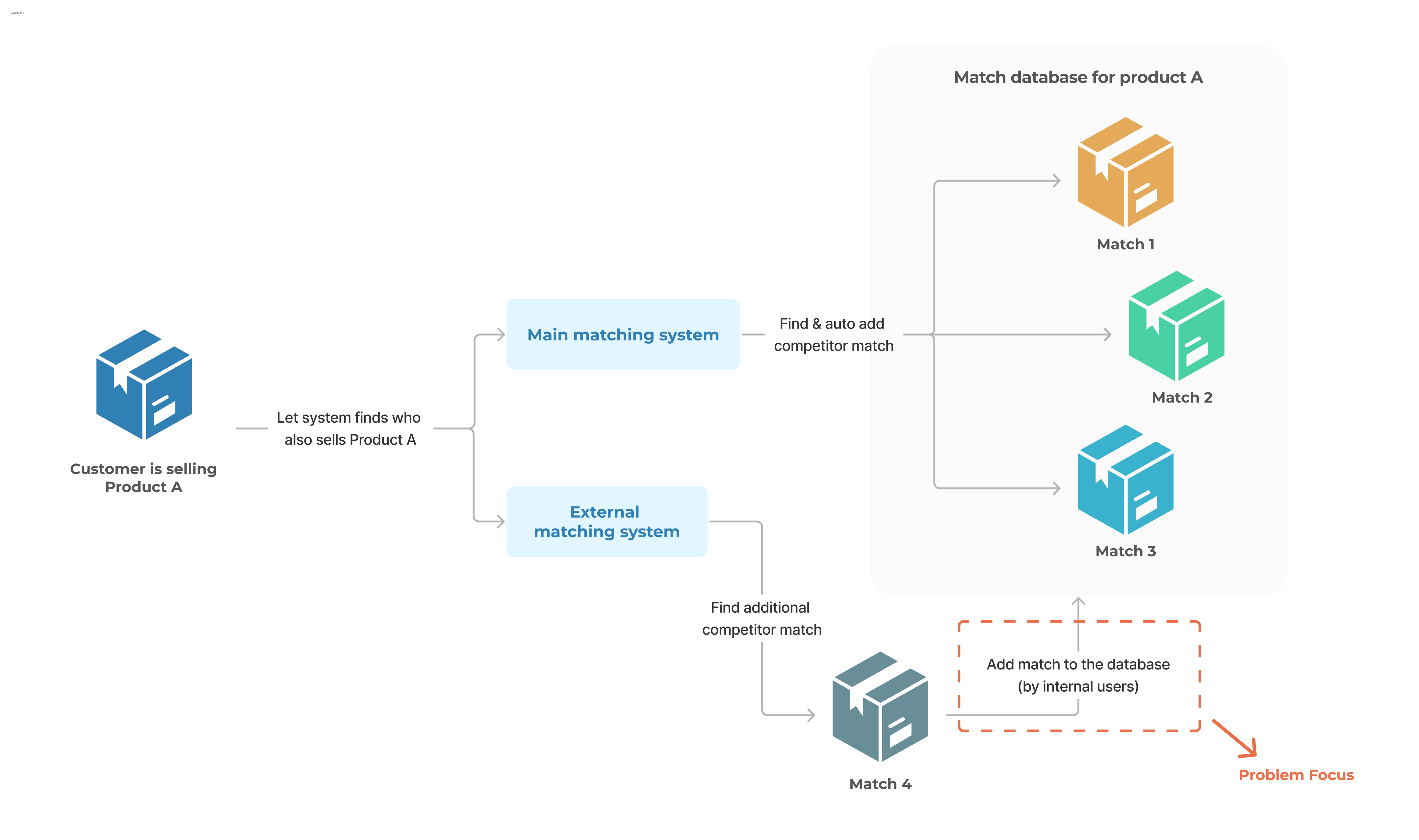
To enable customers' pricing decisions, we first need to match their products with competitor products. For example, if a customer sells Product A, we need to identify who else sells it to help assess their price competitiveness in the market.
Customers want us to find as many matches as possible to support their analysis. Poor match coverage is one of the top reasons for churn and lost revenue.
Unfortunately, our main system struggles with comprehensive matching, leads to frequent customer complaints. Internal users (Engagement Managers & Operations) often have to use external platforms to find additional matches and manually import them into our system.
Our goal is to simplify and streamline the add-match process for internal users.
problem Definition
Internal users' daily struggle with add-match process
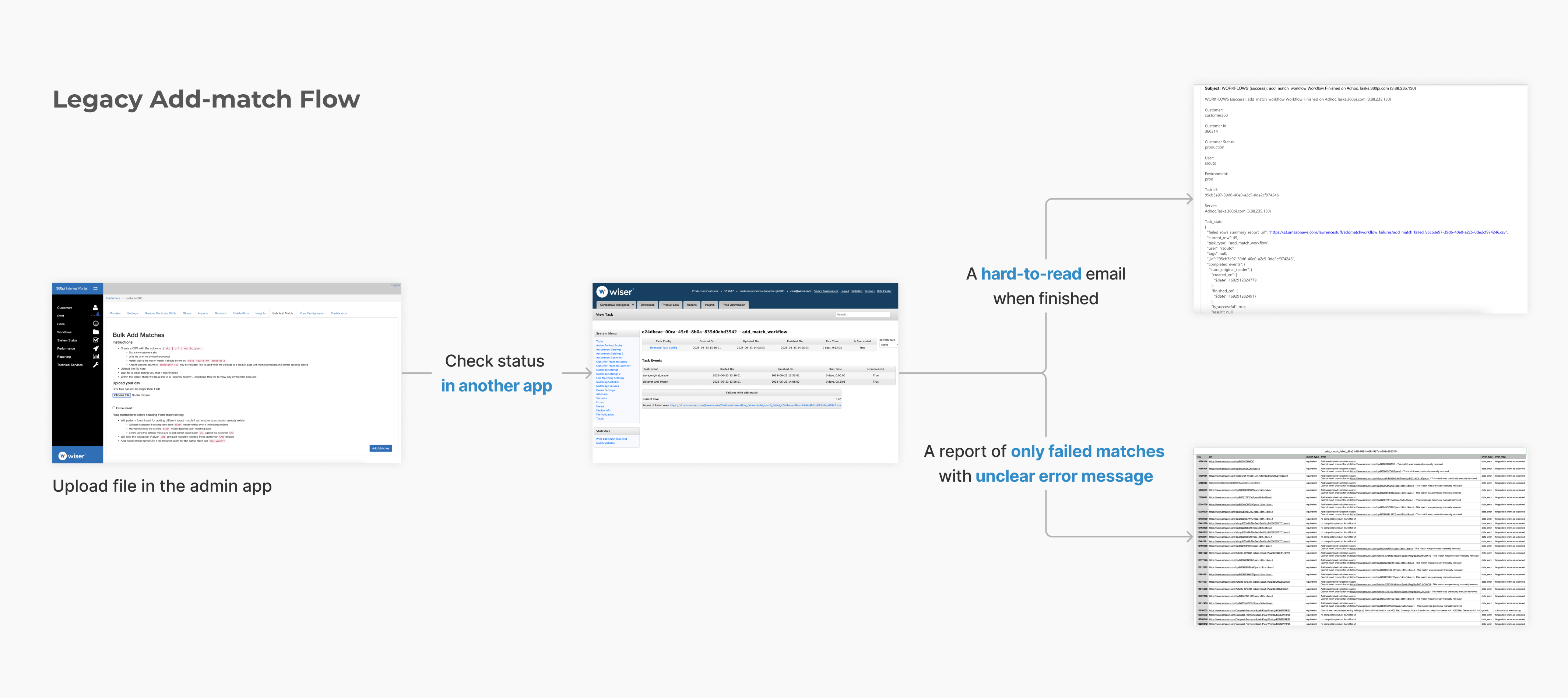
It took a LONG time (sometimes an entire morning!) for our internal users to add matches for customers. The process was confusing, time-consuming, and required LOTS OF manual comparing and troubleshooting, making it frustrating for users, especially when hundreds or even thousands of matches need to be added.
Here's what we were up against:
- Visibility Blackout: Users couldn’t tell which matches were successfully added, forcing manual checks and rework.
- Workflow Chaos: Navigating between multiple tools and re-uploading files created a disconnected and time-consuming process.
- Error Message Mystery: Vague error messages like “things didn’t work as expected” left users confused and slowed down troubleshooting.
Measuring success
A lever for efficiency
Our goal wasn't just to redesign the workflow; we aimed to boost add match efficiency, consolidate systems, and ultimately enhance data coverage for customers. Our key metrics:
- Time taken to add matches
- Workflow adoption rate
- Customer match coverage data quality
Solution skeleton
Reinventing the workflow
Everything should be in one place.
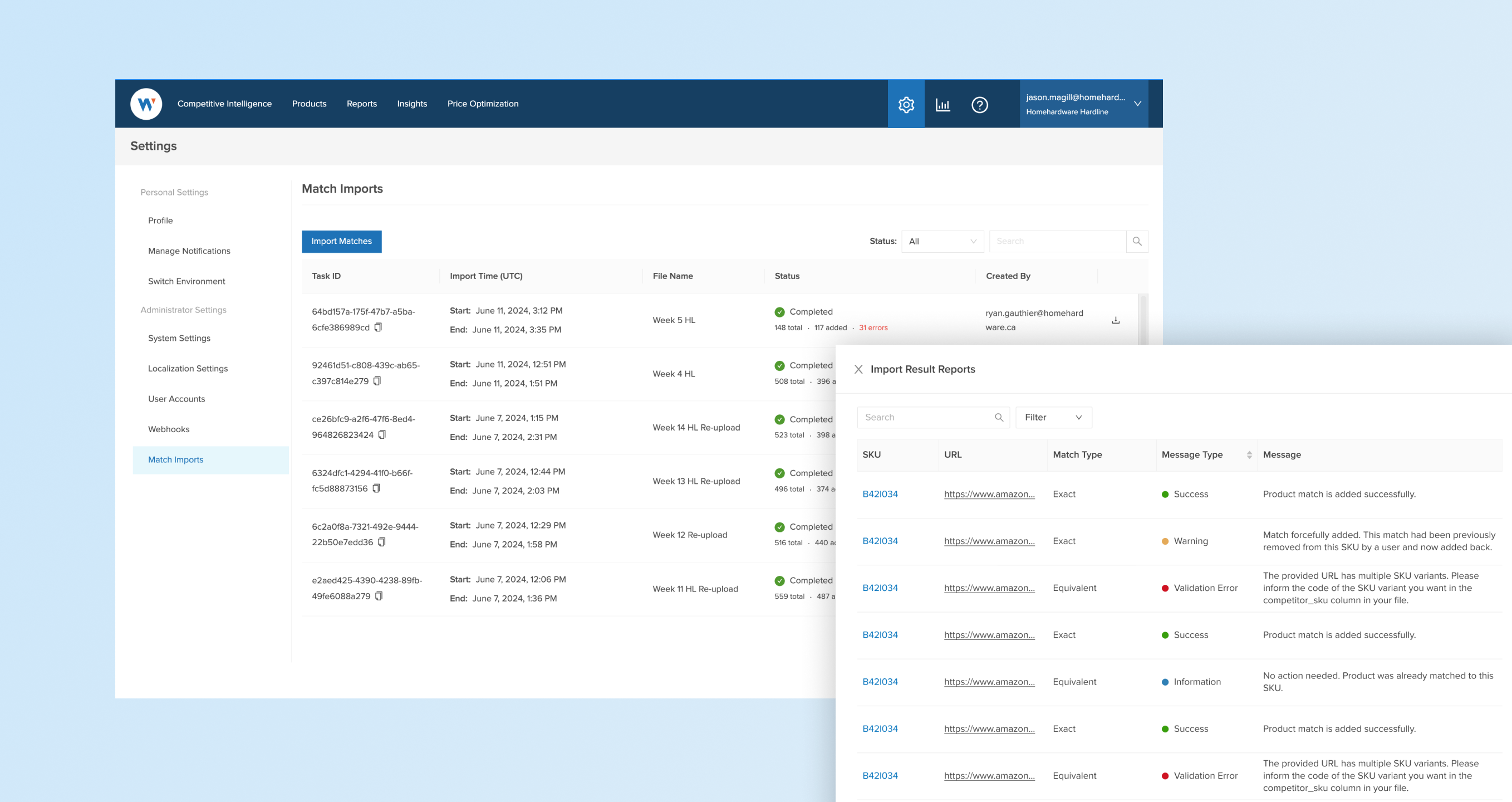
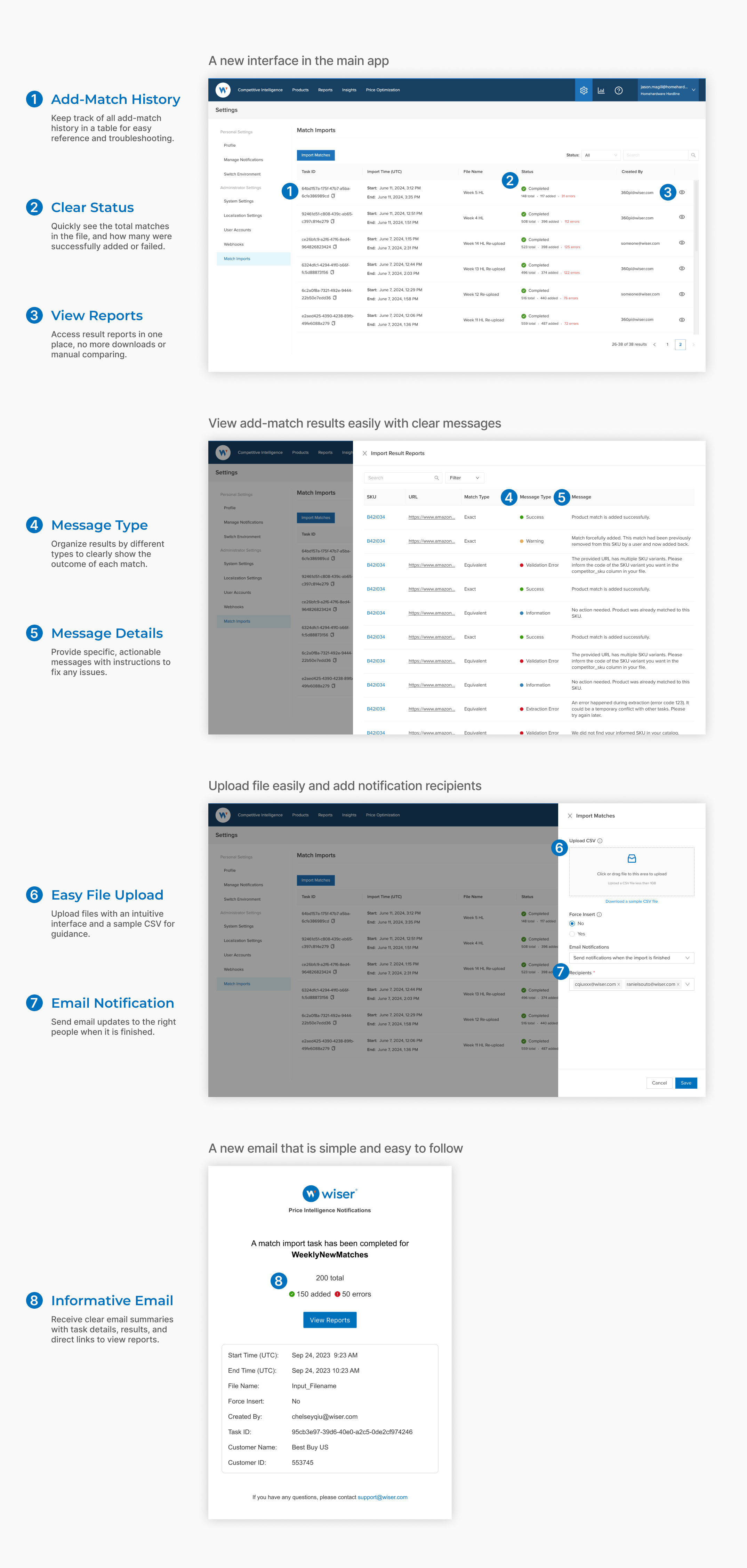
- A new interface within the main app, no need to switch to another app.
- Clear results for all matches with detailed error messages for easier tracking and troubleshooting, NO MORE manual comparing and auditing.
- Simple, easy-to-follow email notifications when the task is finished.
Scope Limitation
Consider engineering efforts - Is it worth it?
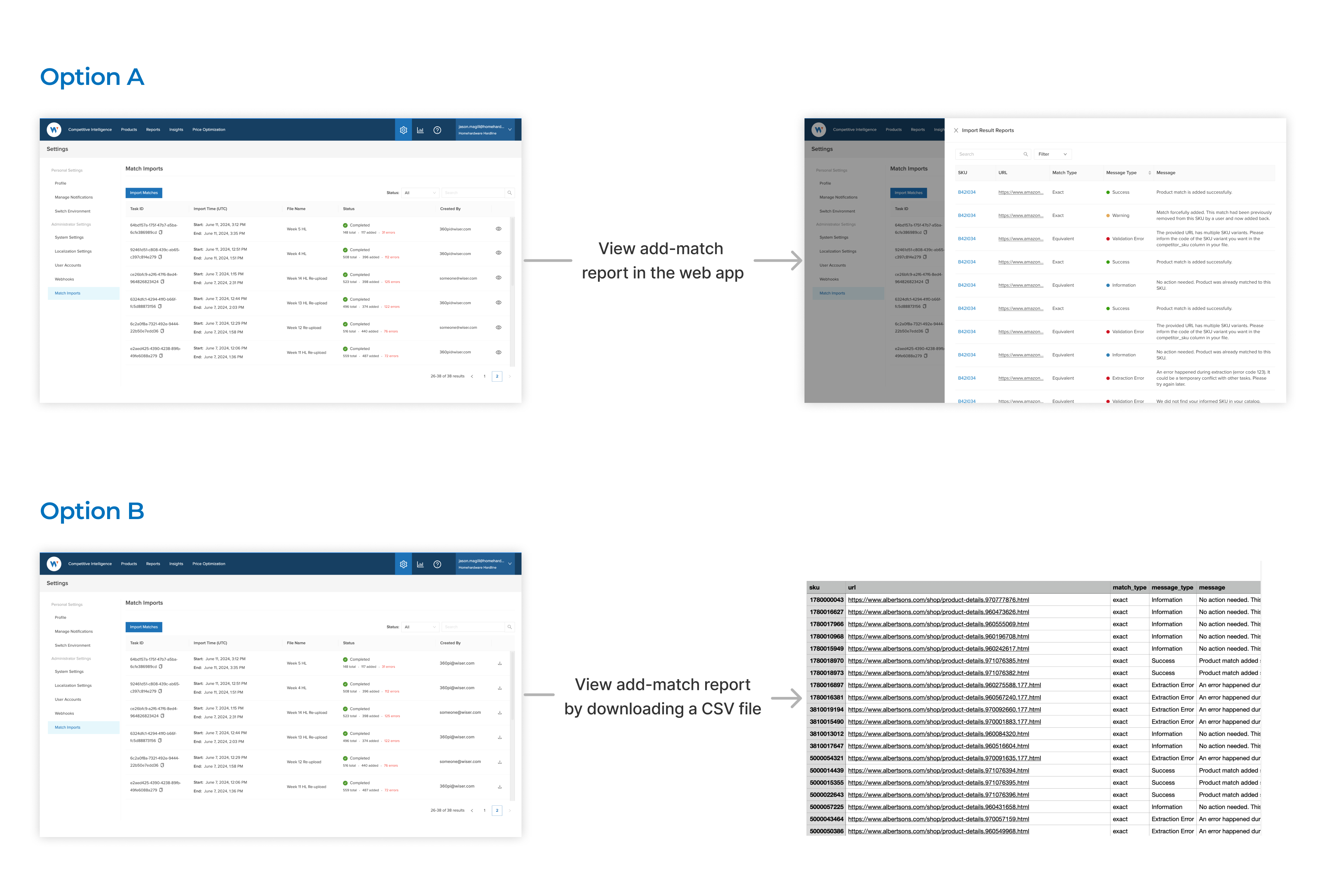
The original design solution aimed to display add-match results directly in the app, so users wouldn’t need to download anything.
However, after discussions with engineers, we found that building this interface would require significant effort. Instead, we ended up with option B: providing the results as a downloadable CSV file, considering our users are usually comfortable working with Excel and CSV files.
Solution Iteration
Dig it further: Why not automate it?
With all the enhancements, why stop at manual uploads? Automating the process — dropping files directly to an FTP location — removes the need for manual effort entirely. This solution streamlines the workflow and eliminates unnecessary steps for users.
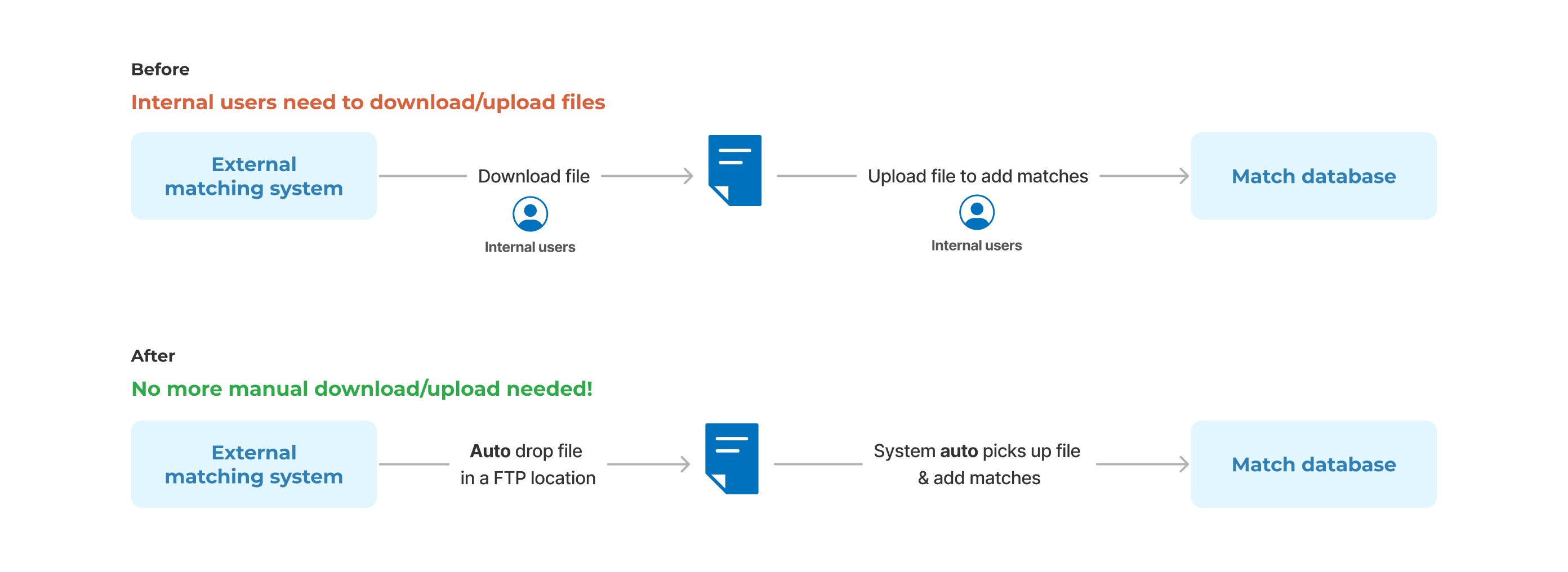
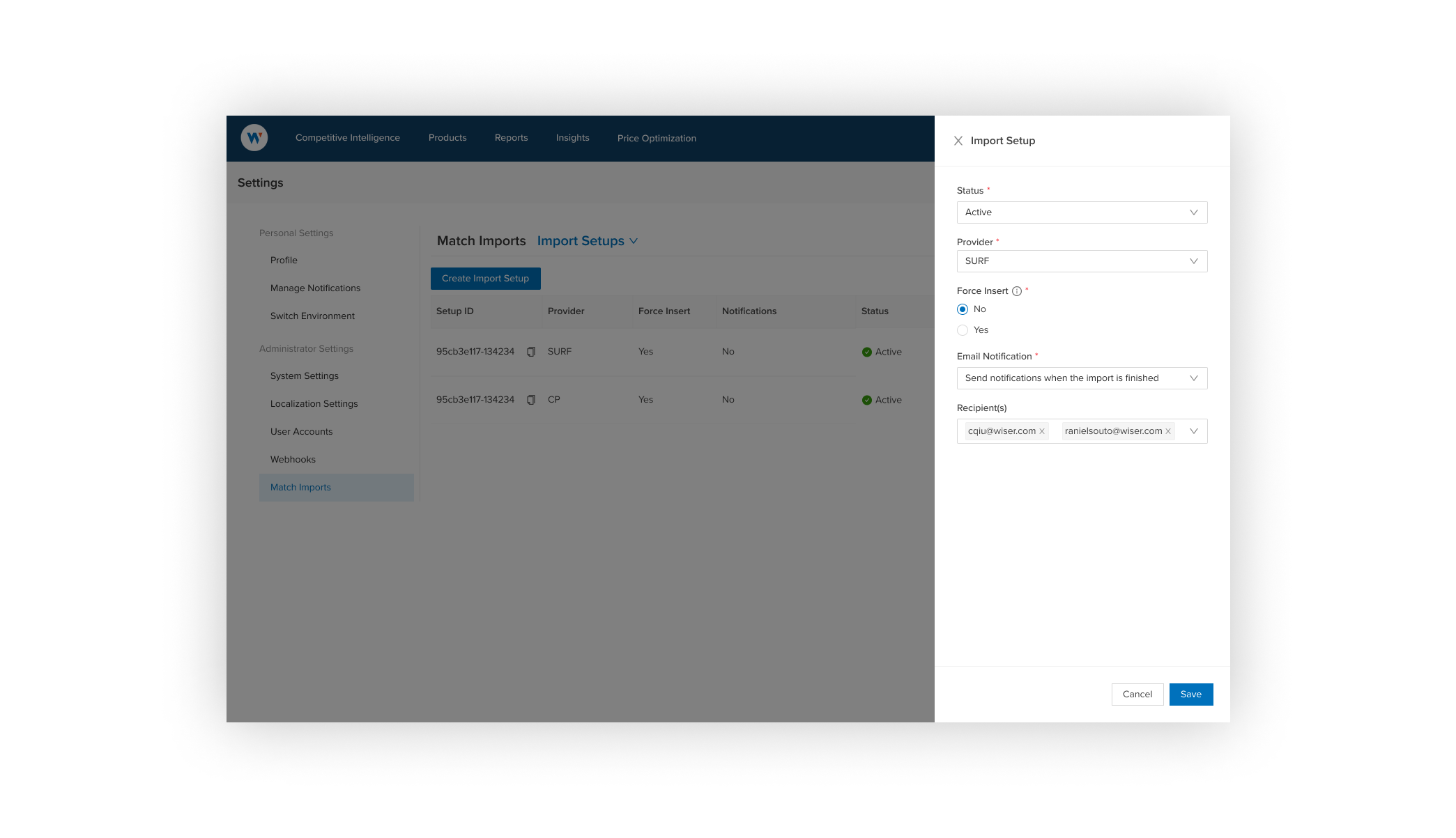
Introduce Import setup:
Set up the external system integration to auto pick up file and send email notifications when finished, without the need for a user to download/upload file to add matches, further reduce manual efforts and improve efficiency.
Content Iteration
Crafting clarity in the output report
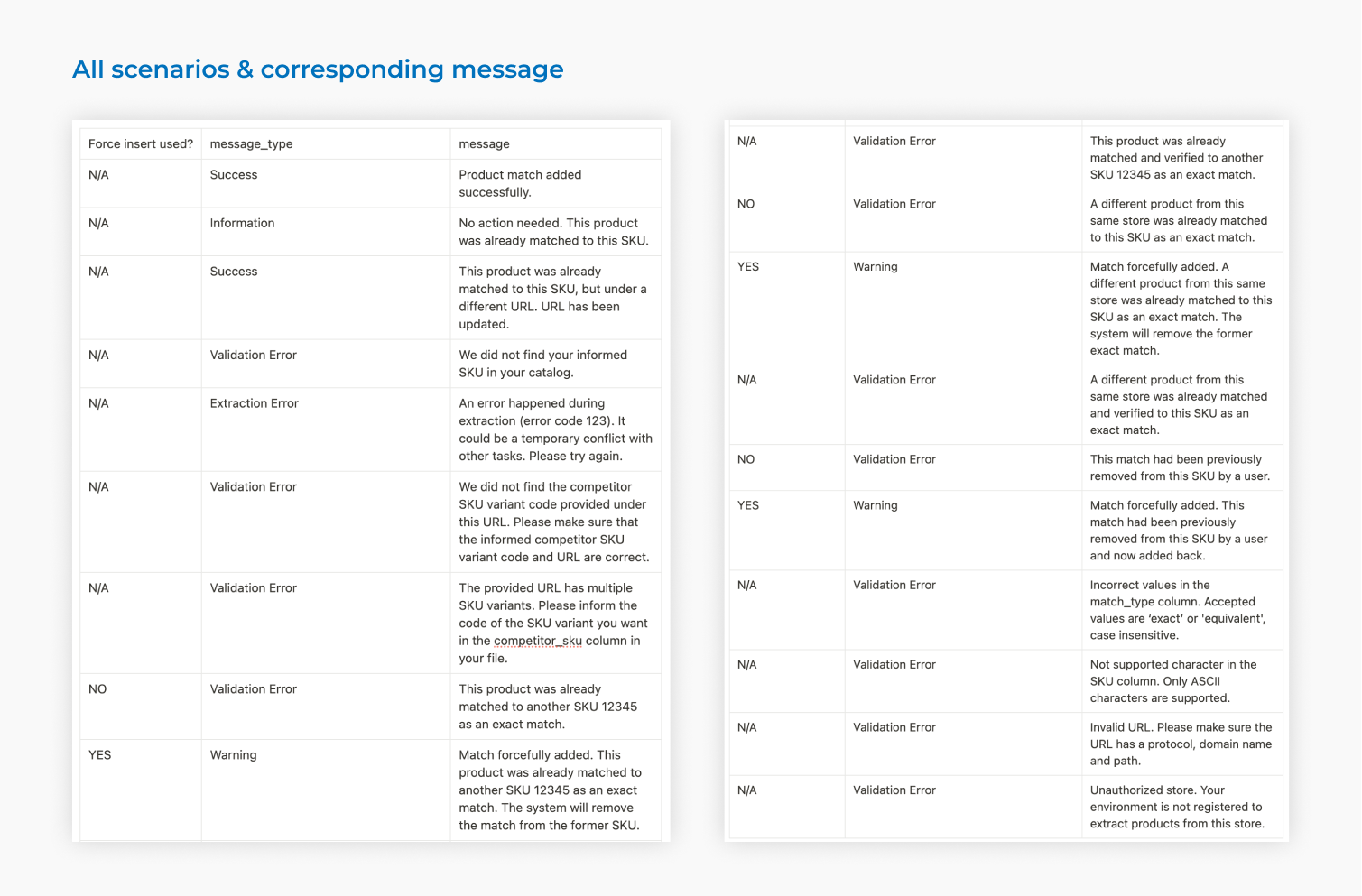
We reorganized the information in the add-match reports. Instead of only showing failed matches, we categorized different scenarios to provide clearer insights and better tracking of matches being added.
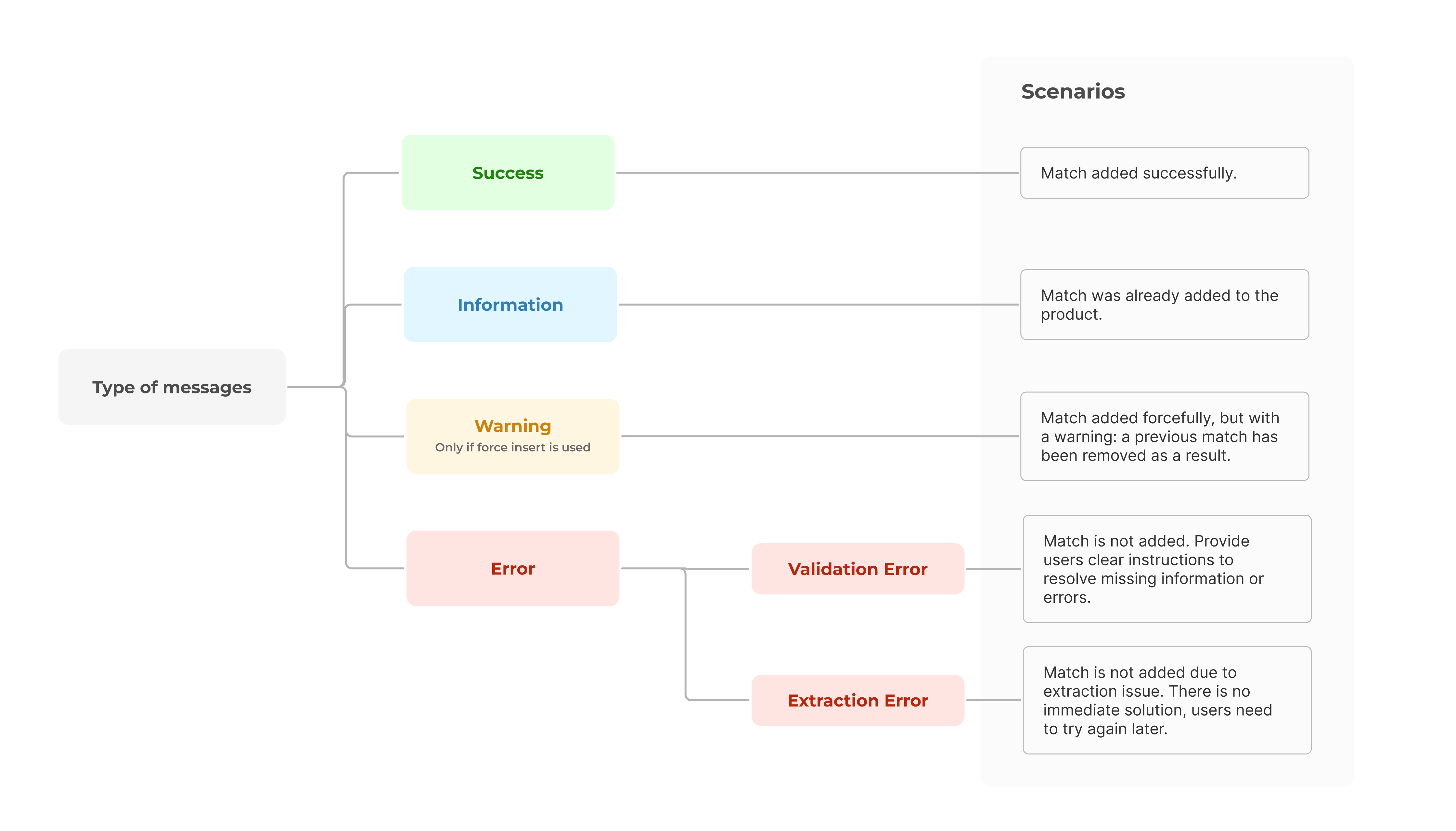
Good error messages don't just point out problems — they offer solutions. I partnered with Engineering and Operations team to cover all scenarios, ensuring they are both accurate and actionable.
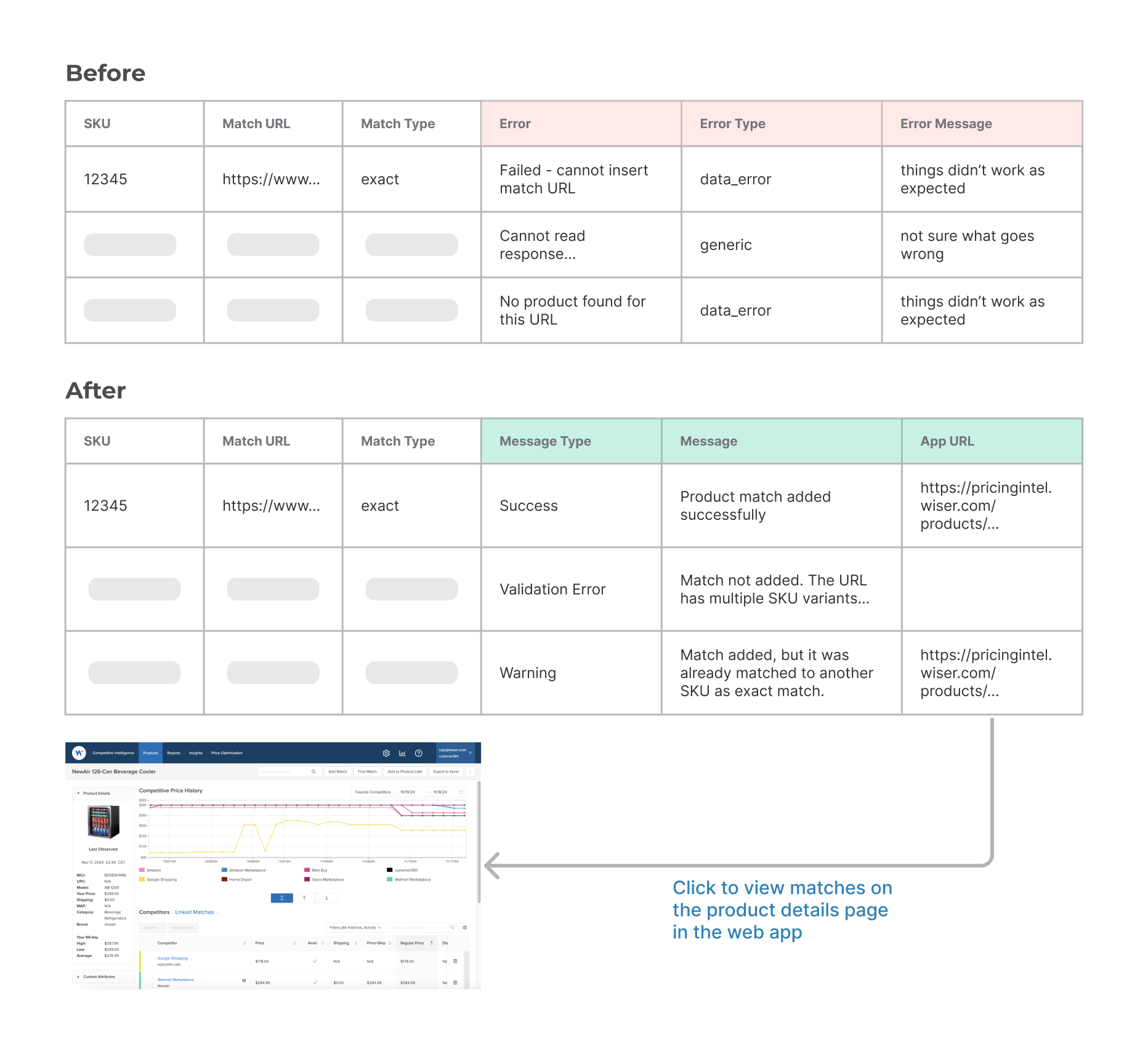
The previous file format had three redundant columns for errors: "Error," "Error Type," and "Error Message," which provided little clarity and added complexity. The updated design introduces a streamlined structure:
- Message Type: Consolidates information into clear categories like "Success," "Error," or "Warning."
- Message: Provides actionable details if any issue.
- App URL: Adds a direct link to the product details page, so users can quickly check SKUs in the web app.
Impact
“The new process is great and saves me so much time!”
- Cuts the time to process 100 matches from 2–3 hours to just 15–20 minutes. Free up the internal team to focus on more valuable task instead of manual troubleshooting.
- Enhance match coverage for key customers, impacting contracts worth $2.6M, and provide more reliable data for customers to make smarter decisions, reducing churn risk.
- Opens the door to customer self-service, making it faster and easier for customers to get results themselves if they have matches to add, further reducing time-to-value.
.png)