Morphi
"Create for creators"
Simple, powerful & efficient 3D animation + AR tool for creators.
Morphi ranks as one of the best 3D modeling apps on iPad. The company is now launching a brand new cross-platform 3D animation tool —— Morphi Studio.

The new animation tool will be a part of the Morphi 3D workflow. The beta version was launched during my internship and we improved the UX/UI based on user feedback.
My role
UX designer
Worked with founder & engineers

2021/10 - 2021/05
8 months internship
Responsibilities
Competitive analysis.
Product strategy.
User research.
Interaction design.
Why animations?
The company started to make 3D creativity tools since 2014, and has created amazing 3D modeling + AR tool. So why launching a brand new product focusing on 3D contents animation?

Animated 3D + AR content is in huge demand across industries fueled by the need for video-focused social networking. The total addressable market can reach to $104m globally & growing fueled by NFTs.
Problem Definition
Creators are lost in a maze of fragmented platforms and clunky tools, struggling to find a streamlined solution
We interviewed 24 current Morphi users (familiar with 3D animations) to find their pain points in 3D animations.

# 1
Creating 3D animations
is difficult

75% said creating 3D animations is extremely time-consuming & complex.


# 2
Tools are fragmented across platforms

63% cannot find a well-round 3D animations tool, have to go to different platforms & apps.


# 3
Love to explore possibilities with AR

54% said they love to see their work in AR, but there is few AR + 3D animation tool.

Competitive analysis
Uncovering untapped market opportunities
We identified some potential competitors, conducted competitive analysis and brainstormed together what should we design. We found out there is:  

0 cross-platform 3D animation + AR tool in the market.
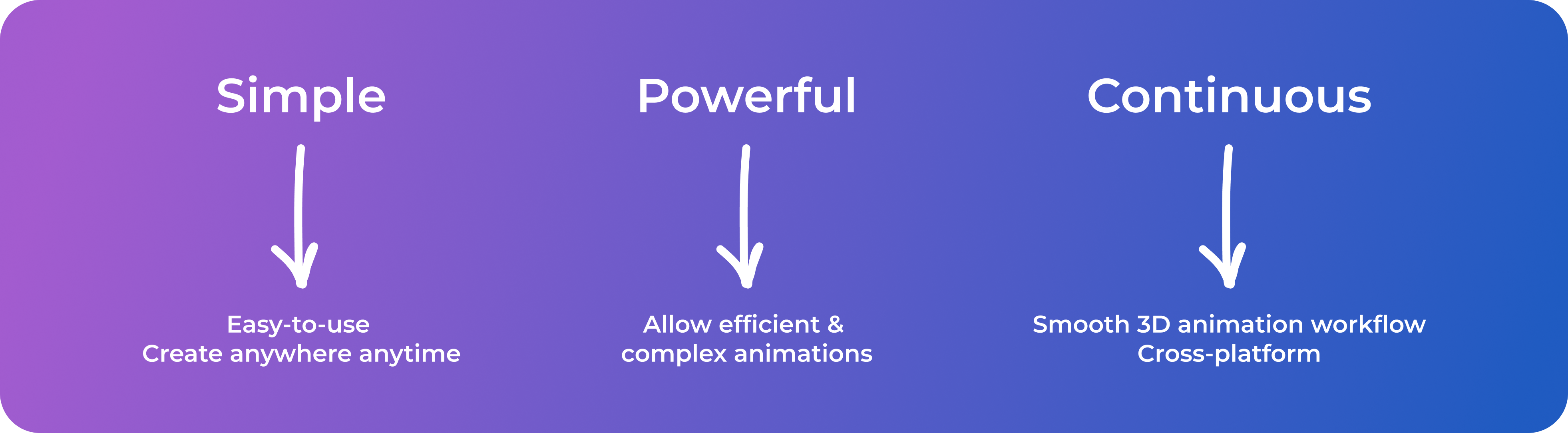
After identifying users pain points & competitive analysis, we defined the product vision. We hope the design is:
usability testing
The MVP experience is confusing and needs enhancement
The very first beta version was launched in Nov. 2021 for internal testing. Though the goal of the testing mainly focuses on functionality and the interface was roughly designed by the engineers for fast developments, it would be helpful to test it and figure out what can be improved in terms of UX/UI.

I recruited 4 participants and conducted a lightweight task-based in-person user testing (the testing was conducted on tablets).


01.

Too many horizontal scrolling
Users have to scroll a lot to reach the end of the toolbar, especially if it's mobile portrait.

And our fingers are not good at horizontal scrolling.


Add customized animations and choose variables
02.

Adding & Setting animations is confusing
All participants didn't figure out how to add & set animations (both preset & customized ones) without hints.

The way of adding customized animation is too complex, not intuitive enough.
03.

Setting values is confusing & requires lots of clicks
3 out of 4 participants didn't understand the meaning of most input values (especially for colors) and how it may change the animations.

Typing values requires lots of clicks and it's time-consuming.


Set customized animations
Challenge
Making the interface work responsively across all devices


The new product is developed in Unity. Since the team doesn't want additional efforts to develop different interfaces for different devices, the challenge is to design an interface that could be possibly applied to all devices (Mobile/Tablets/Laptop & Portrait/Landscape).

I started the design with the smallest screen (portrait mobile). If the interface works well with the smallest screen (also the most challenging one since there is limited space), it would be easier to develop similar layouts for bigger screens accordingly.
Key Insights from the market
I checked the mobile versions of several modeling & animation apps, to see how they handle the interface.

#1 Pop-up > horizontal scrolling ≠ cover entire screen
The apps have lots of tools & all nested in pop-ups. As a sculpture app, Nomad only allows single object & has pop-up that covers the entire screen. However, we want users can see the change when they make the change. So we don't want a pop-up that cover the whole screen.

#2 Set animation with bottom pop-up menu
Adobe Aero uses a menu to set animations step by step.
Iterations
Designing a solution that's simple and practical

First exploration
Based on competitive analysis & user testing, I presented the first idea of interface & animation design to the team.

Feedback from stakeholders


Revised Design
Final solution
A streamlined and user-friendly AR 3D animation app


Universal Interface
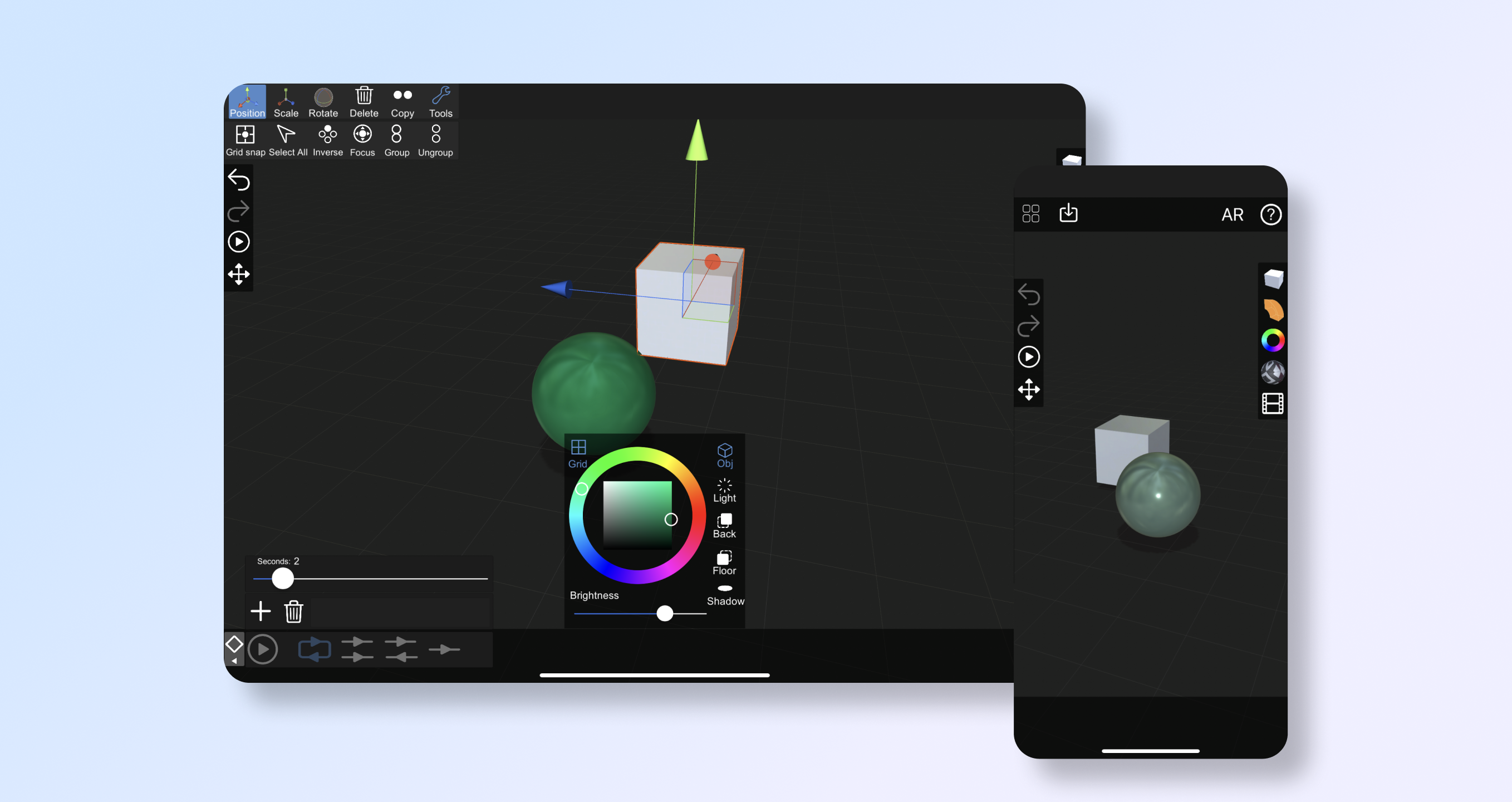
The current interface works for all the devices & both orientations (Tablets / Mobiles / Desktop & Landscape / Portrait) with floating sidebars and pop-ups.

Fixed toolbar with pop-ups
Get rid of the scrolling toolbar and organize everything with a fixed toolbar with pop-ups. Users can also change objects' color & texture.


Animate objects by preset
Preset animations allow users to fast apply common animations (such as spin) to objects.


Use keyframes to customize animations
Instead of inputting values to animate, we use keyframes for animations. Users can add & set the status of each keyframe easily, and there will be smooth transitions automatically. Users can also adjust the speed using a slider.

For example, animations in position can be set by simply moving the objects for keyframes (No value input needed).


View & Edit animations in AR
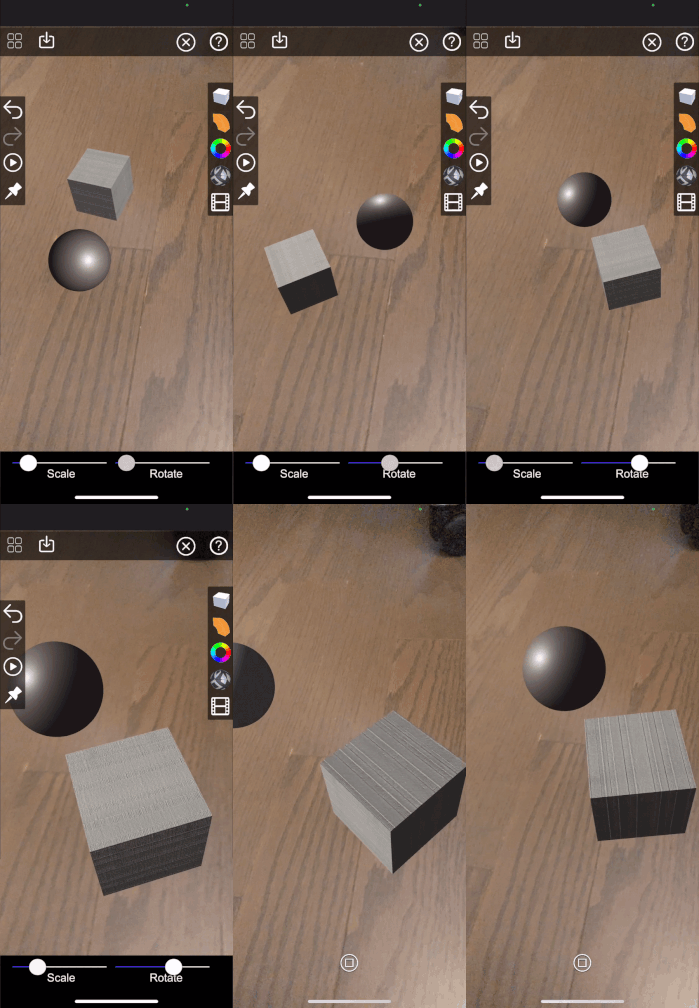
Users can also view the animations in AR, as well as scaling and rotating the scene.


Key Takeaway

Over-communicate with engineers!
Cross-platform design can be really challenging and I was overwhelmed researching on responsive design for unity, and came up with different interface design solutions. I know little about unity development, but engineers are the experts. Instead of figuring out and researching on my own, talking with engineers definitely inspired the interface design idea a looooooooot!

Feasibility, feasibility, feasibility.

When there is limited time and resources for development, sometimes the best way is the fastest and most feasible way instead of the "best" way.